AcroForm is a slightly outdated but still very popular classic type of PDF form.
A document of this type consists of two layers: 1) Artwork and 2) Fields, Scripts, and Data.
Typically, Artwork, Fields, and Scripts are created in different programs, making automation difficult. The only software that simultaneously manages Artwork, Fields, Scripts, and Accessibility is Adobe InDesign, which lends itself well to automation.
Another automation option is to use an API (Application Programming Interface). This technology allows you to use, for example, Excel as both an interface and a database, making it easy for regular users to manage the process.
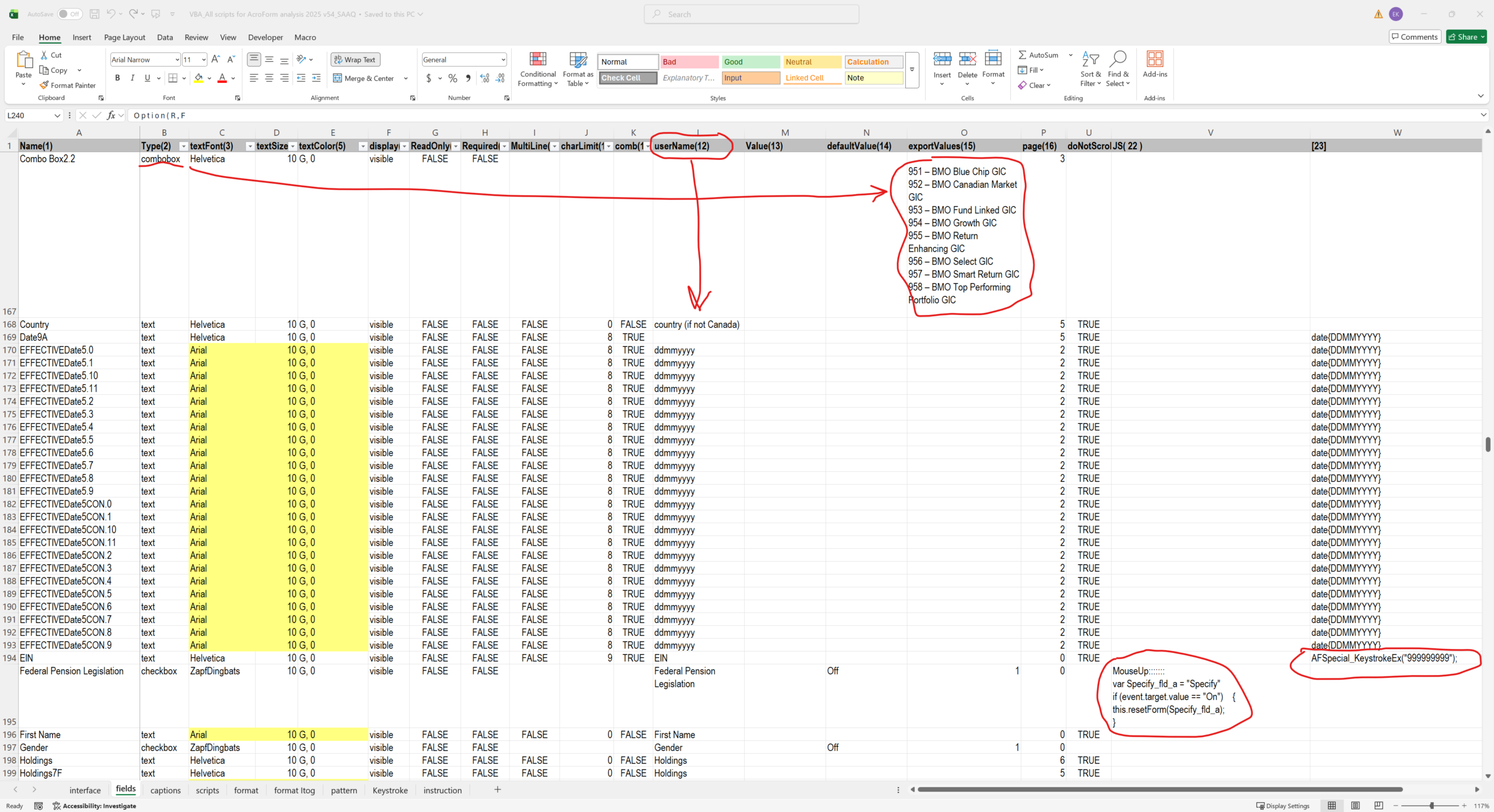
Here’s one of the tools we’ve created for everyday use:
This script reads all field information from a PDF file (including field formats and JavaScript).
The script not only
– detects deviations from graphic standards (sizes, fonts, colors), but also
– analyzes document logic,
– finds JavaScript errors,
– generates test datasets,
– maps fields,
– checks links for text consistency,
– compares two forms (for example, English and French versions),
– resolves captchas in Tooltip of fields,
– exports modified field properties to the original PDF form,
and much more.
AI can also perform some of these functions, but this is unacceptable when working with confidential documents.